Everything
jury selection takes.
From the moment the panel list arrives to the record in the trial file. Built for prosecutors, on every device the office already owns.
From the moment the panel list arrives to the record in the trial file. Built for prosecutors, on every device the office already owns.
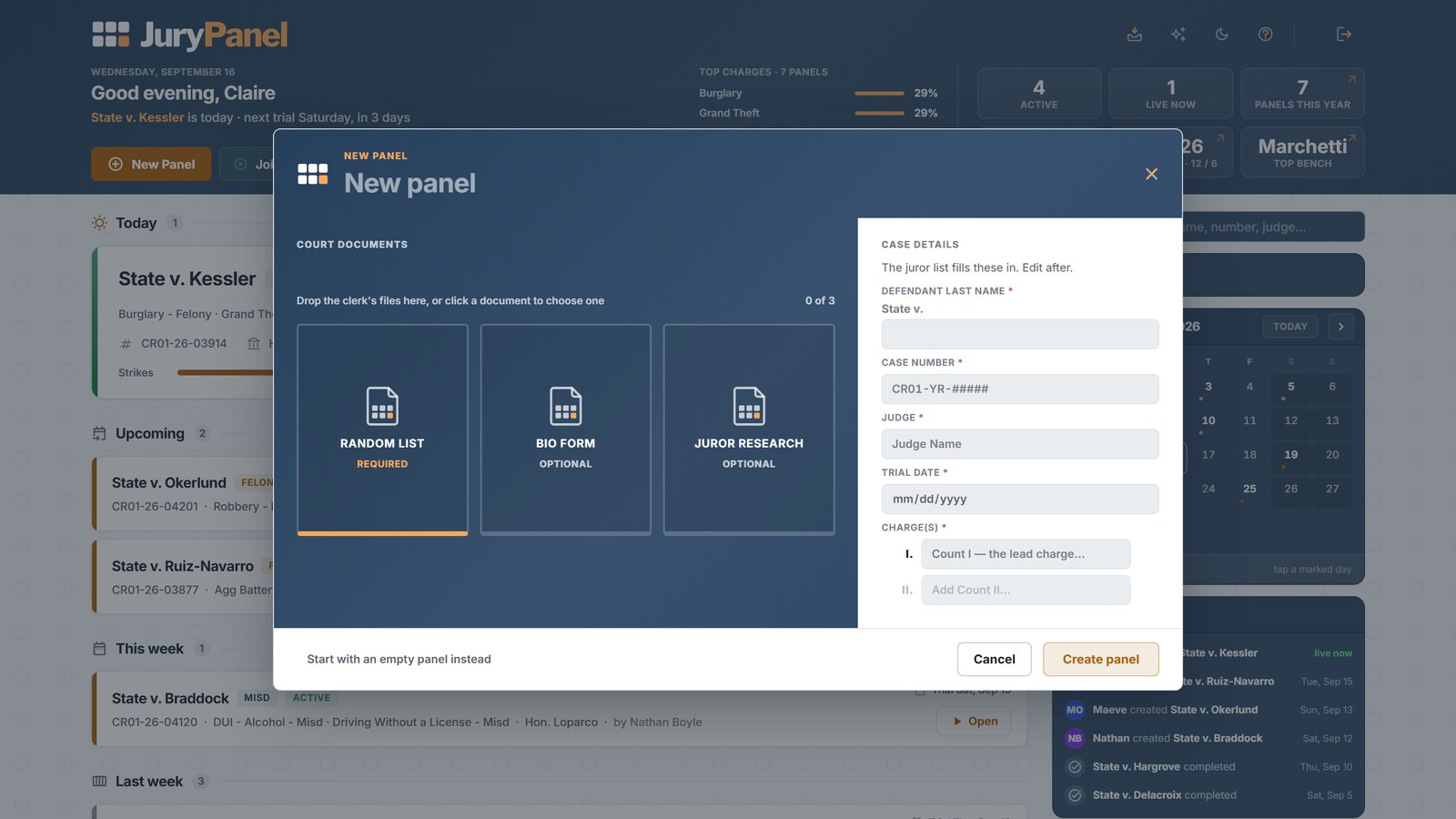
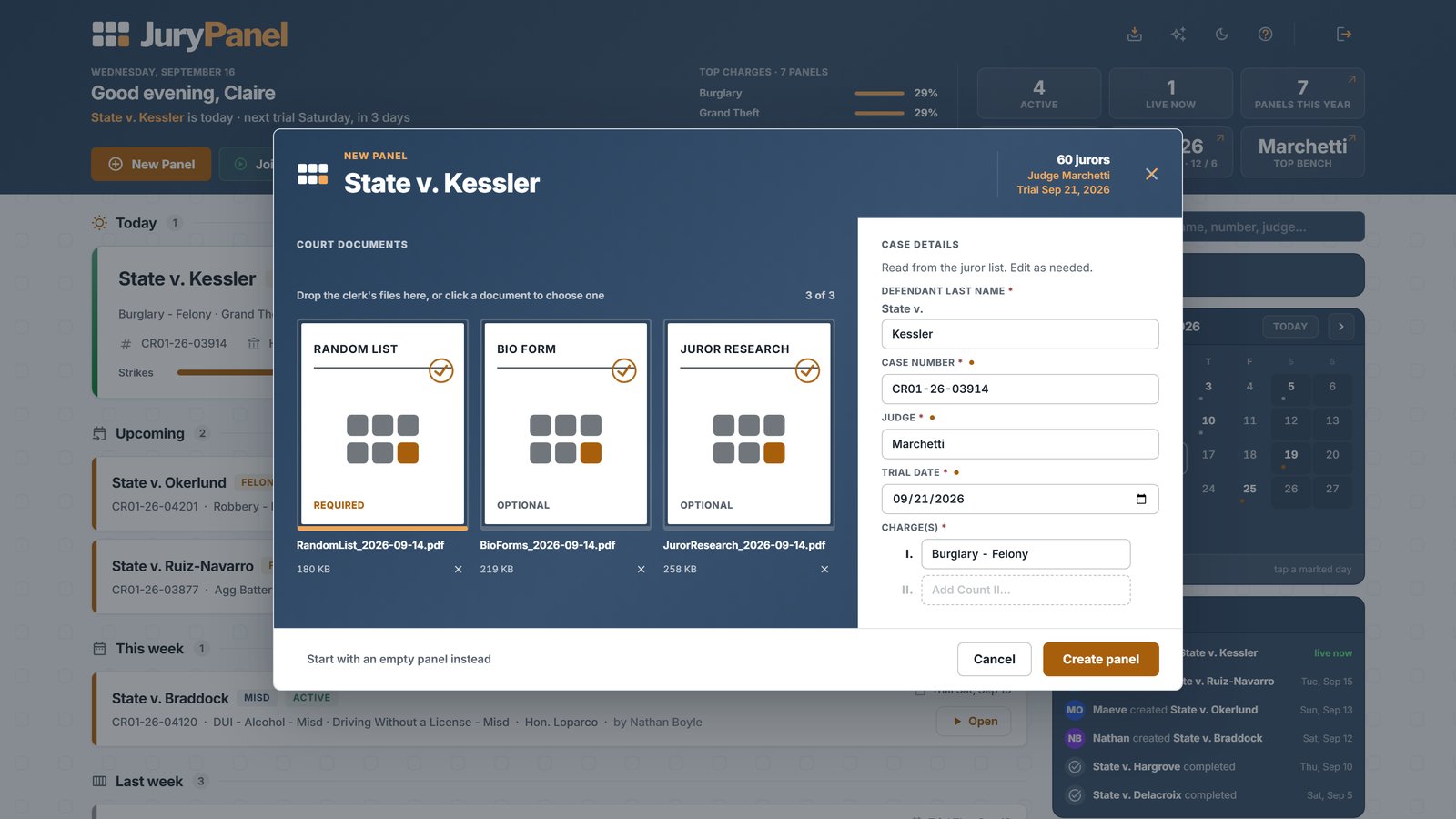
Upload the court's juror list — PDF or CSV, whatever your jurisdiction sends — and JuryPanel builds a profile for every juror automatically. No data entry.
Import additional documents into an existing case as they arrive; new jurors merge in cleanly.
Enter or edit a panel by hand in a fast spreadsheet view when you'd rather build it yourself.
Add custom fields for the data your jurisdiction provides that nobody else's does.
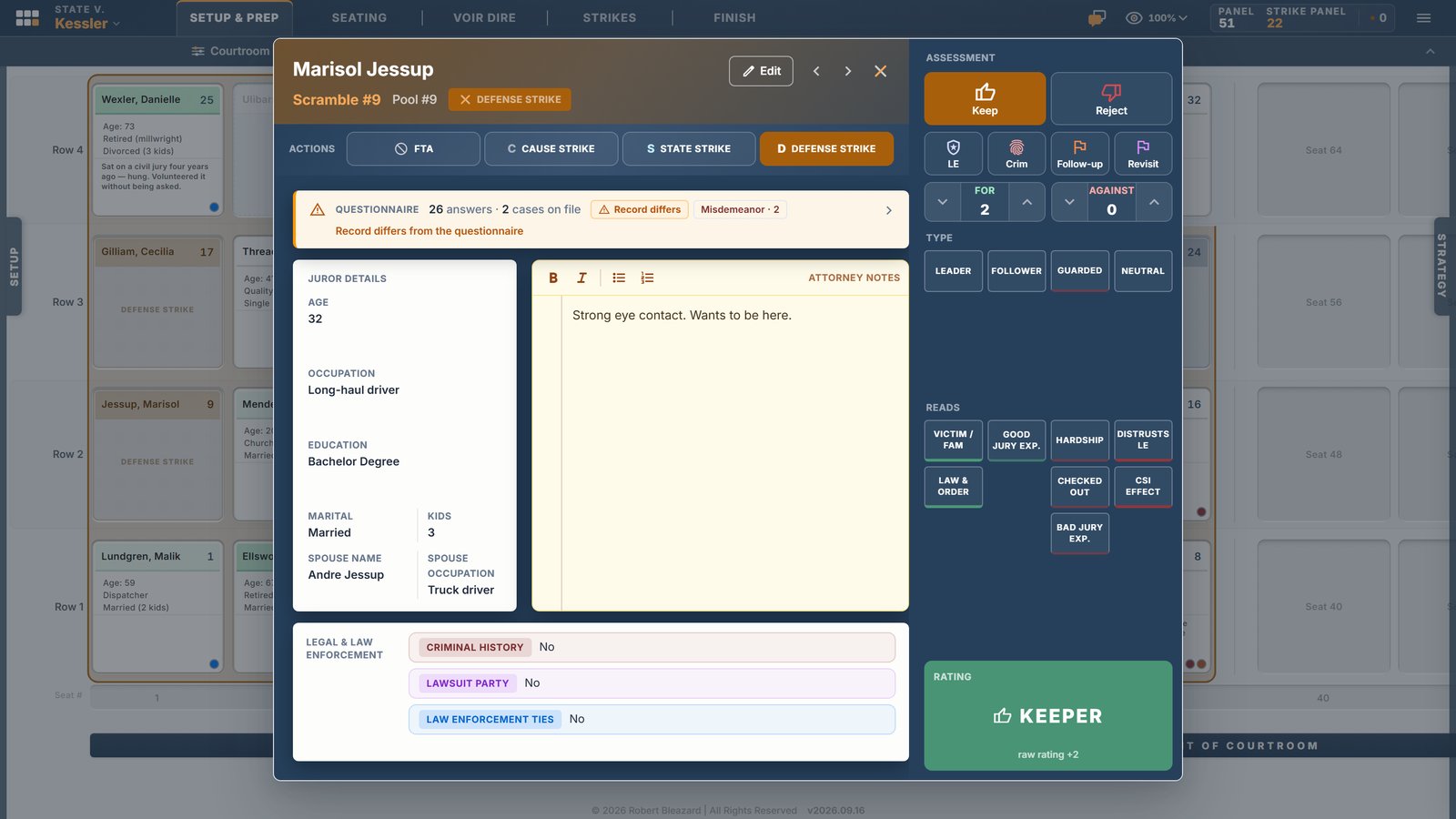
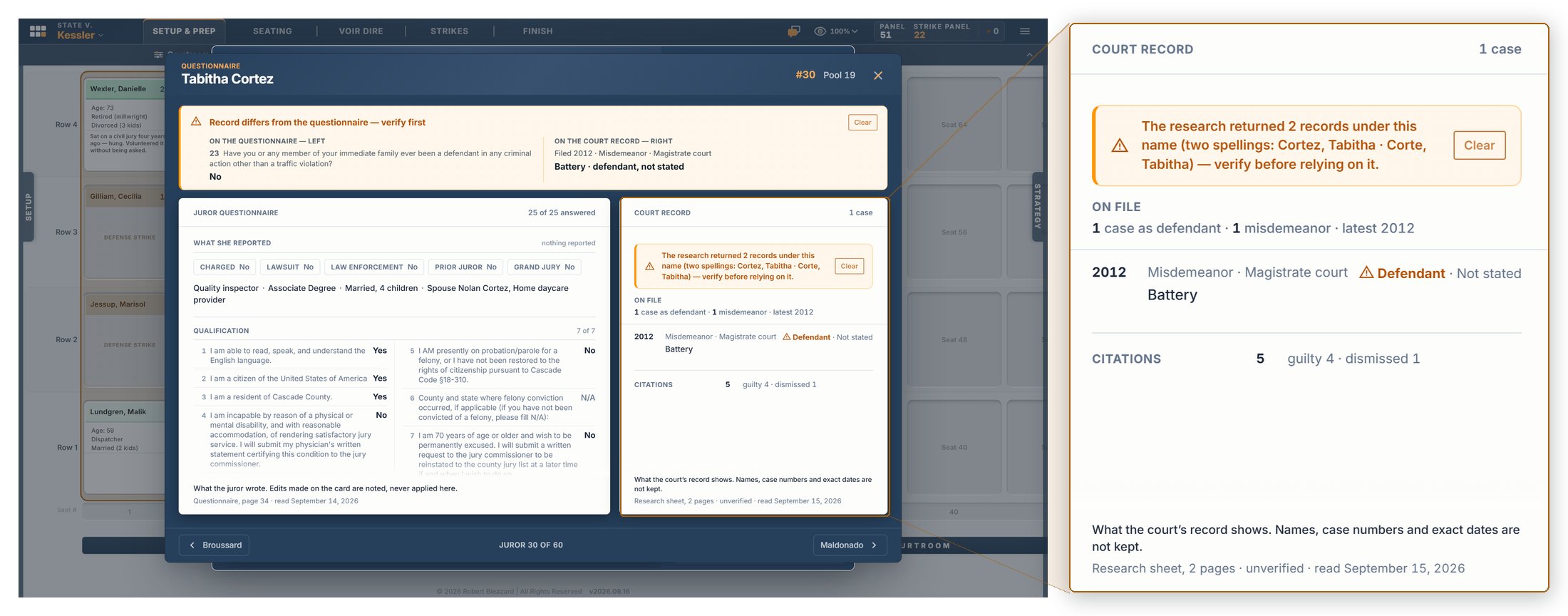
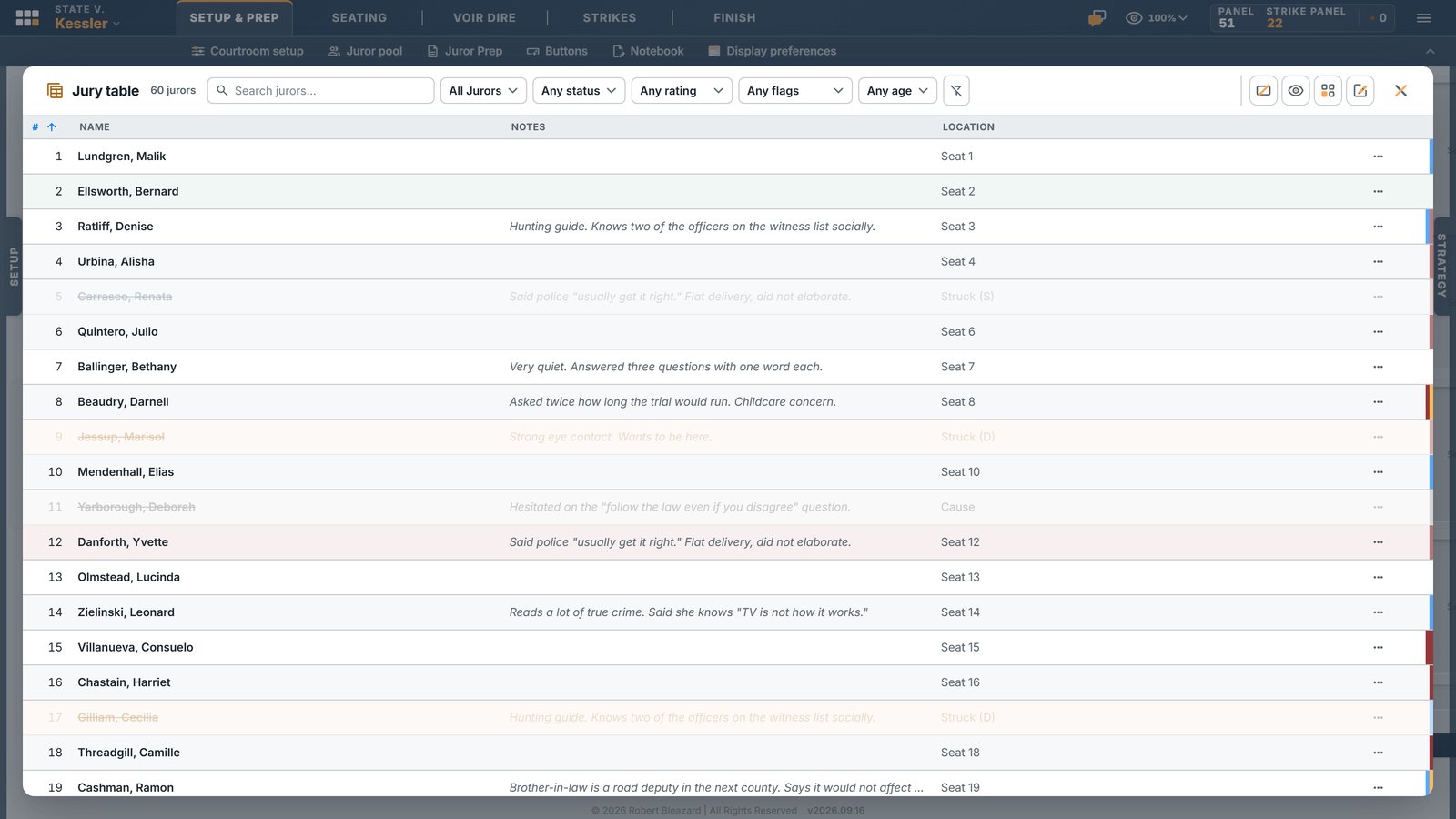
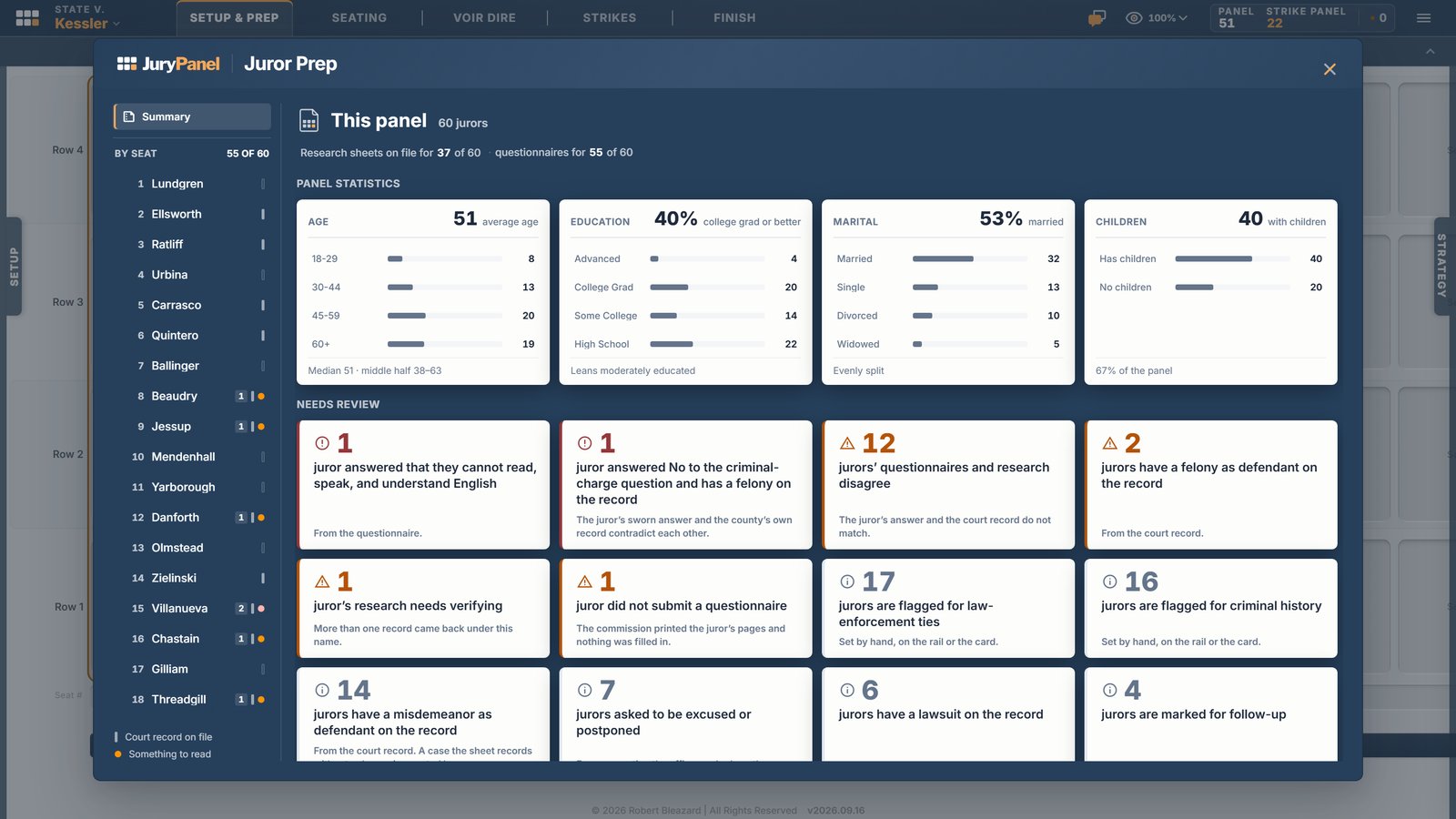
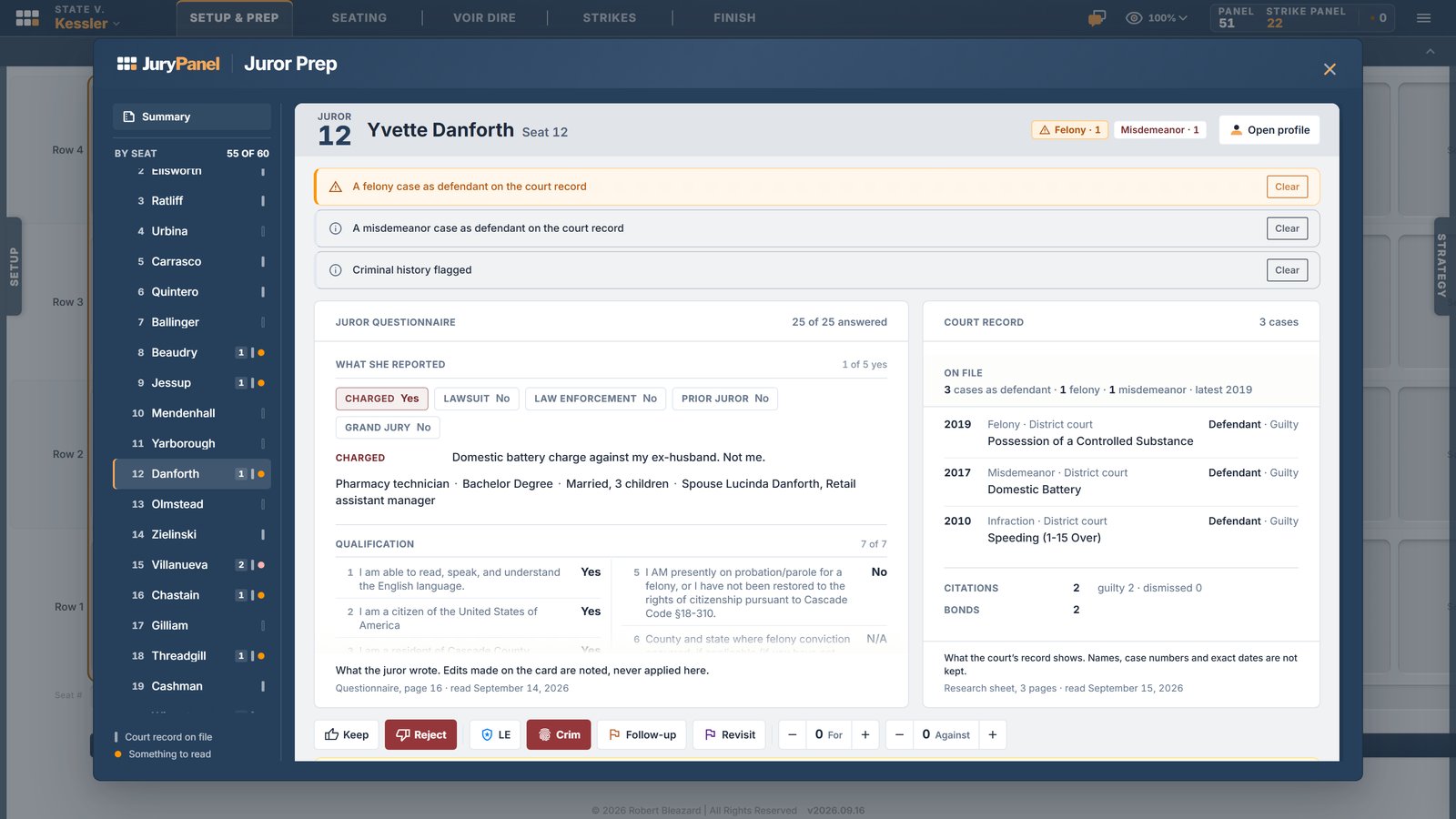
A complete profile for every juror: demographics, occupation, and the details the court supplied.
Rate jurors on a consistent scale your whole office shares.
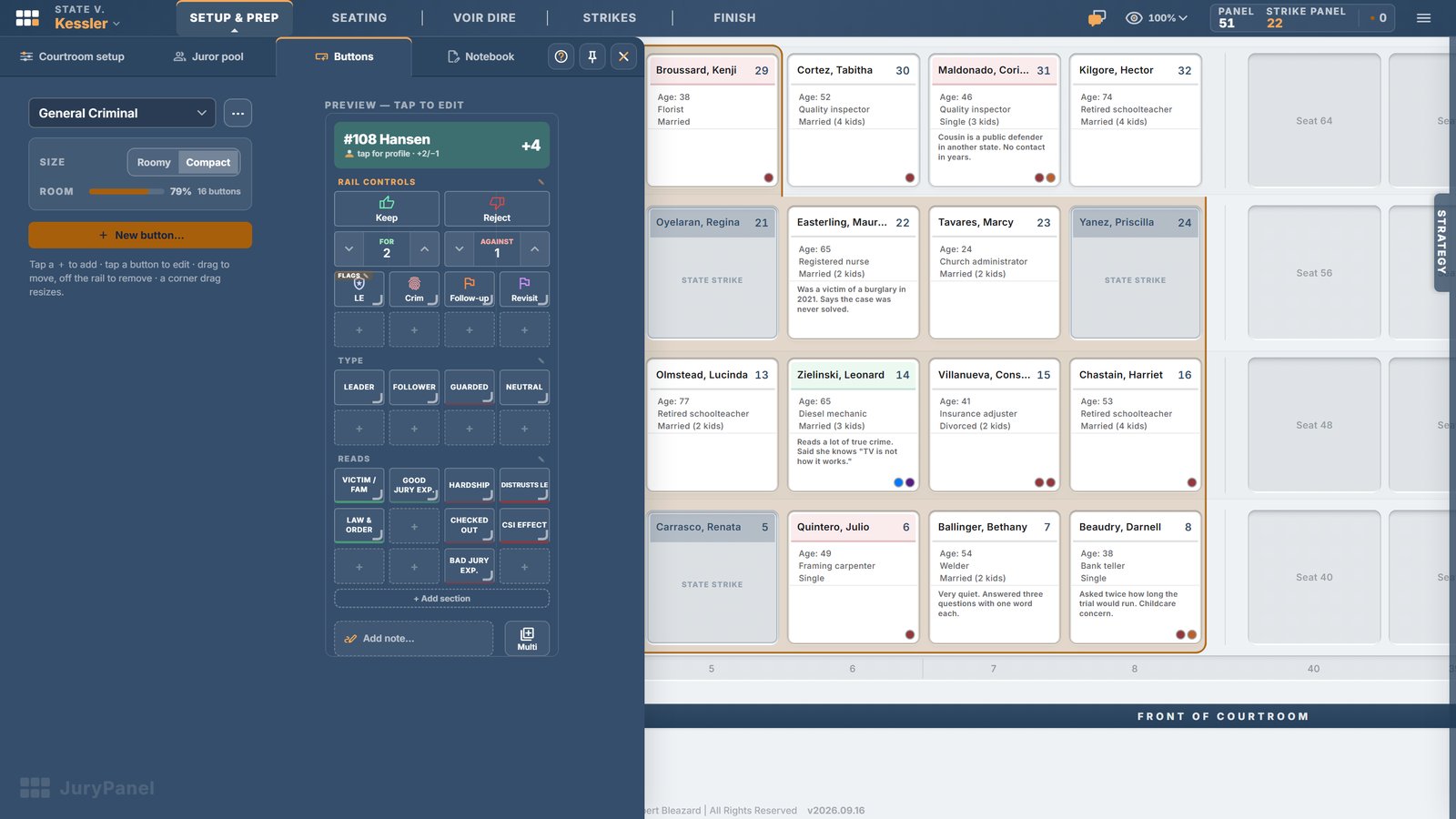
Flag what matters to the State — law-enforcement connections, criminal-history indicators, prior jury service.
Rich notes on every juror, kept with the profile from prep through verdict.
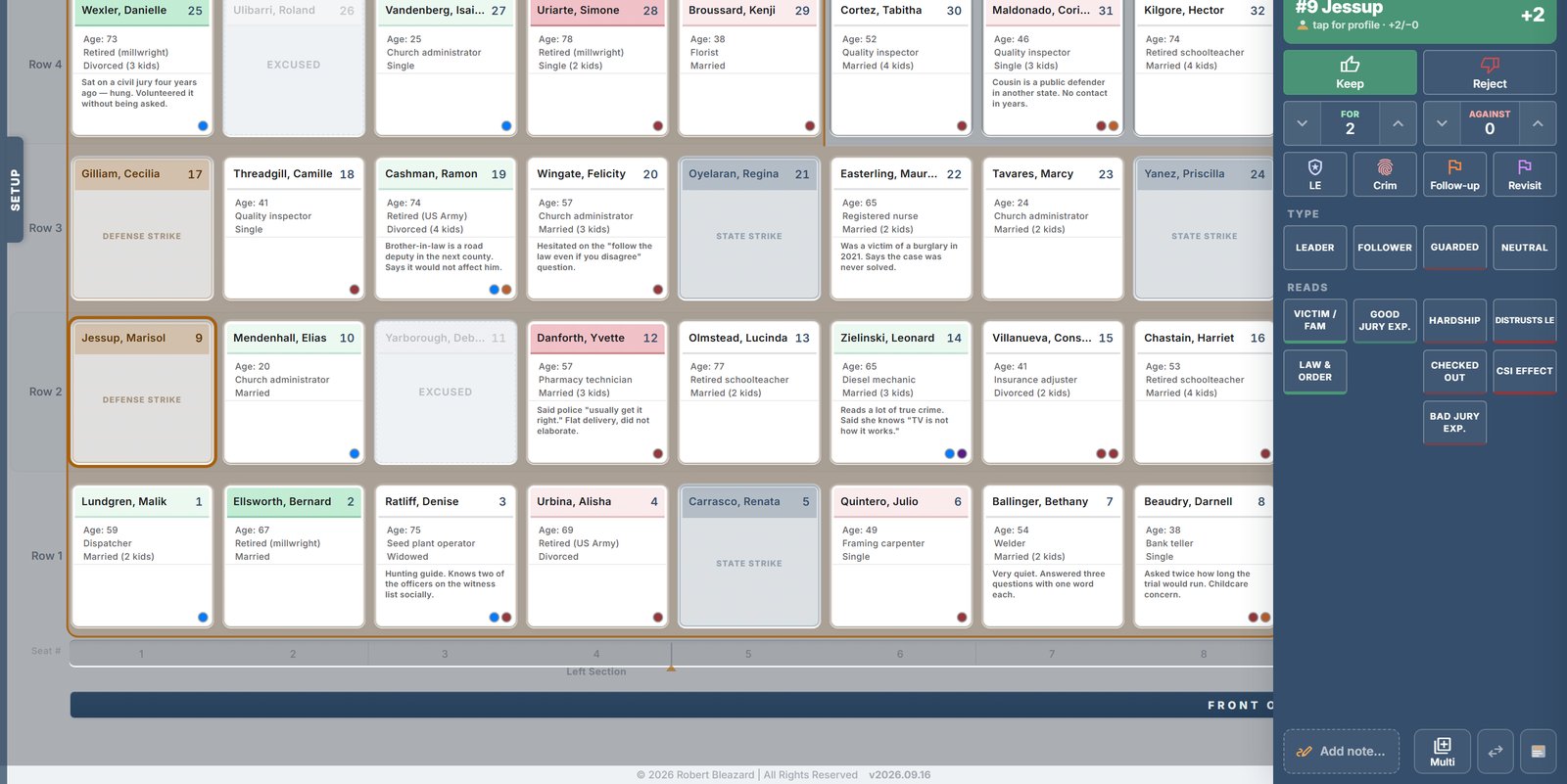
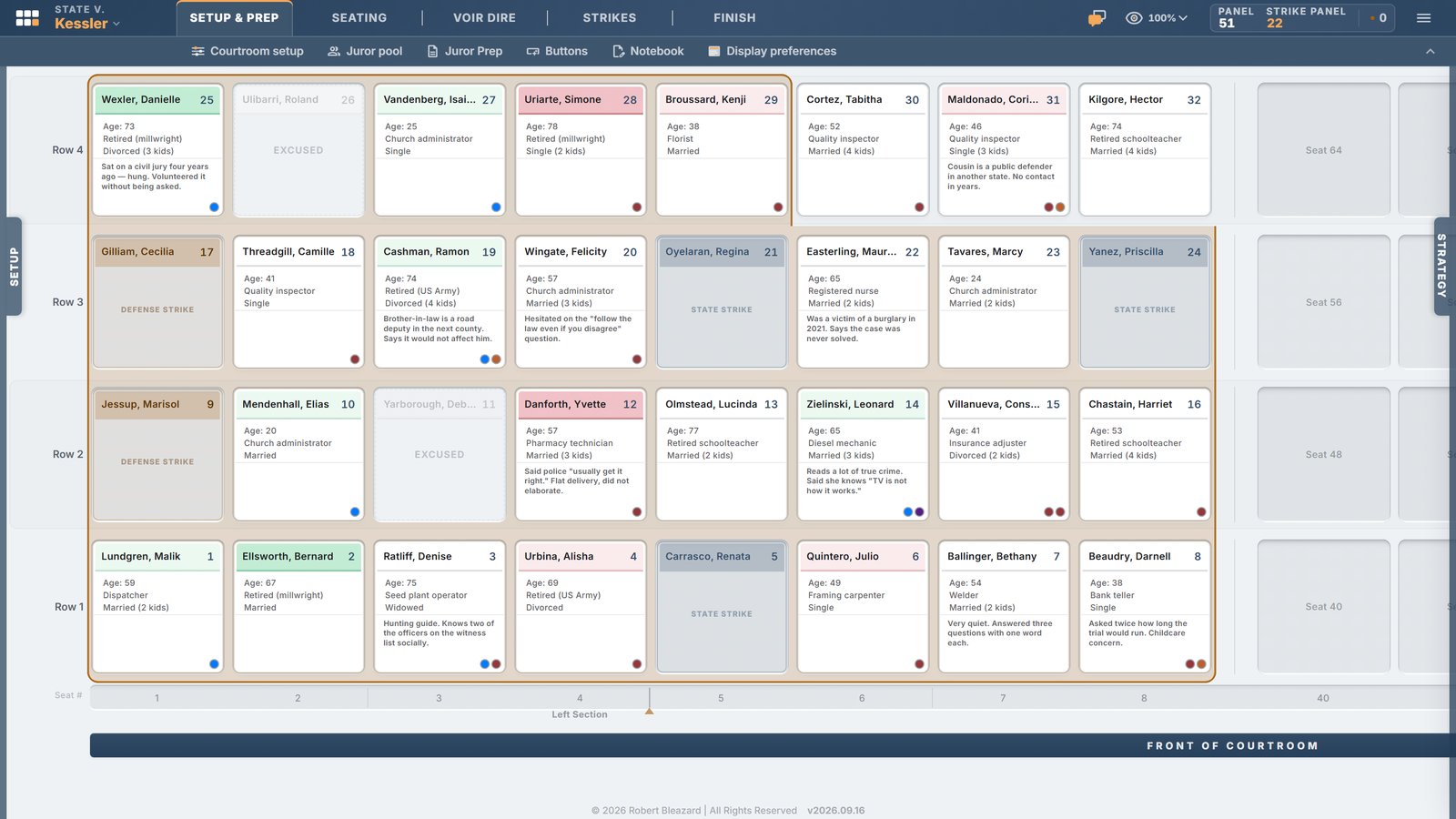
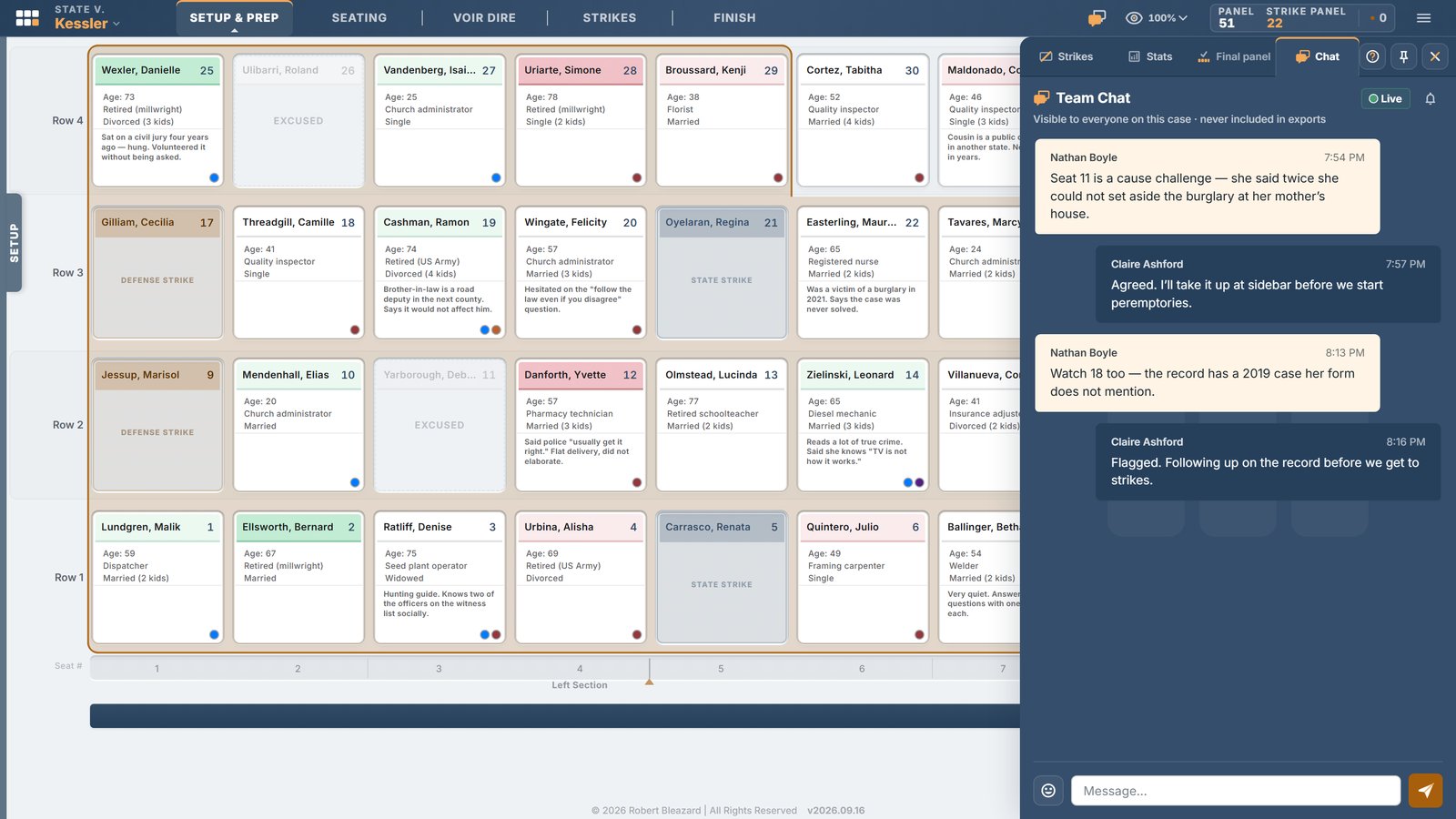
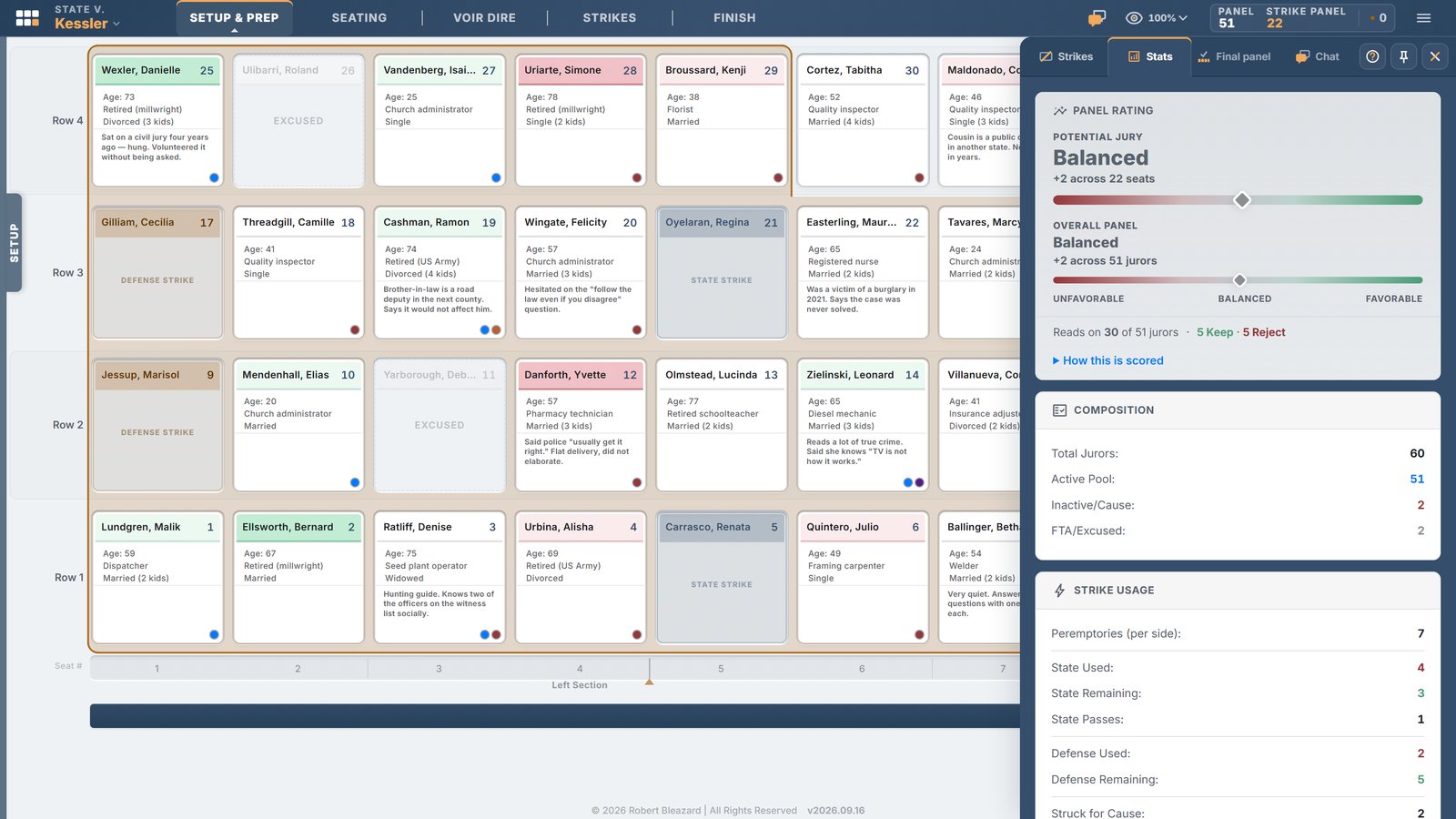
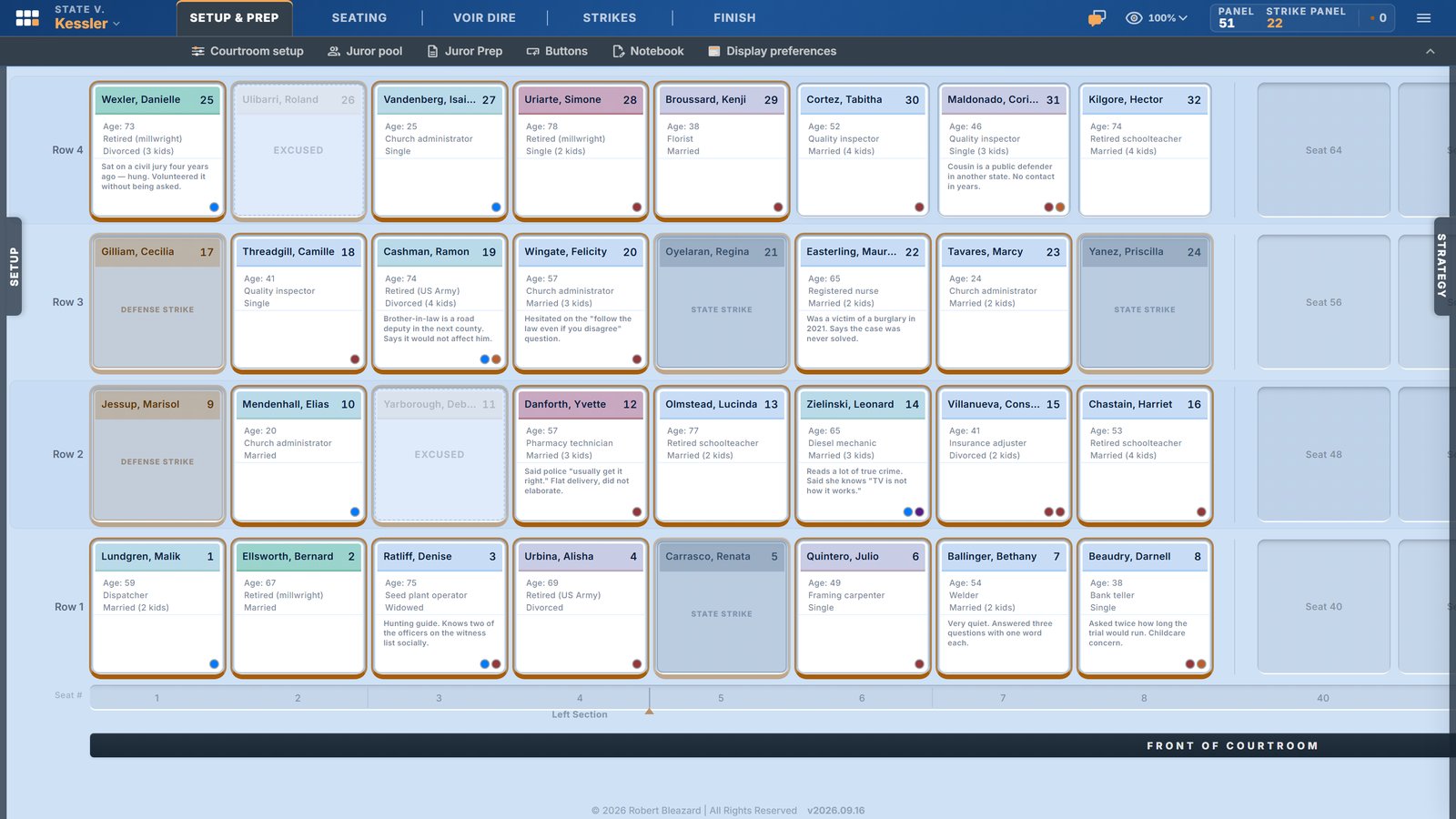
A digital seating chart that mirrors your actual courtroom, not a generic grid.
Renders the system your jurisdiction runs — strike-panel, struck-jury, or stand-and-strike.
Configure each courtroom in your courthouse once; reuse it every trial.
Save and share courtroom layouts across the office.
See at a glance who's seated, who's in the strike zone, and who's next.
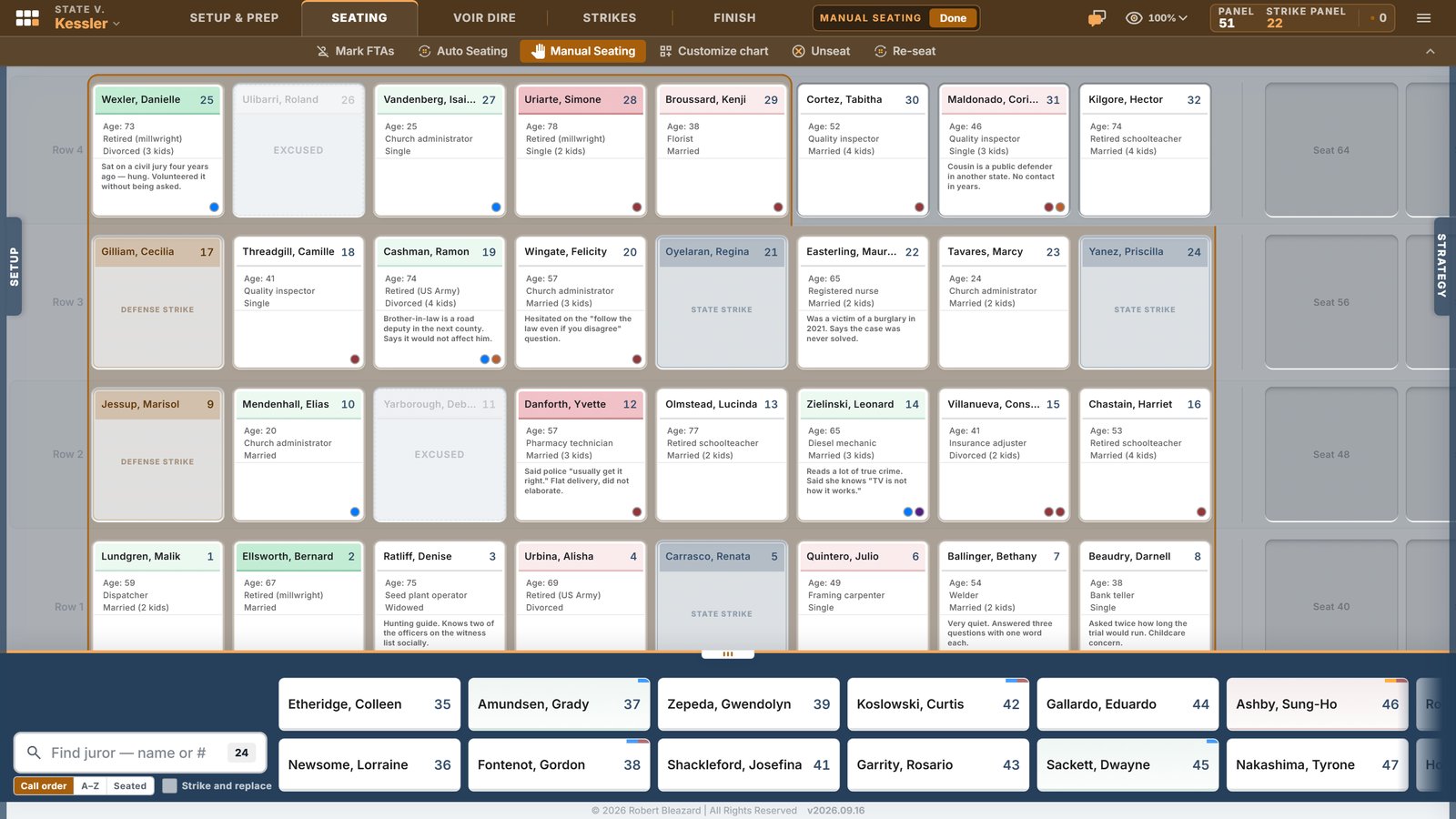
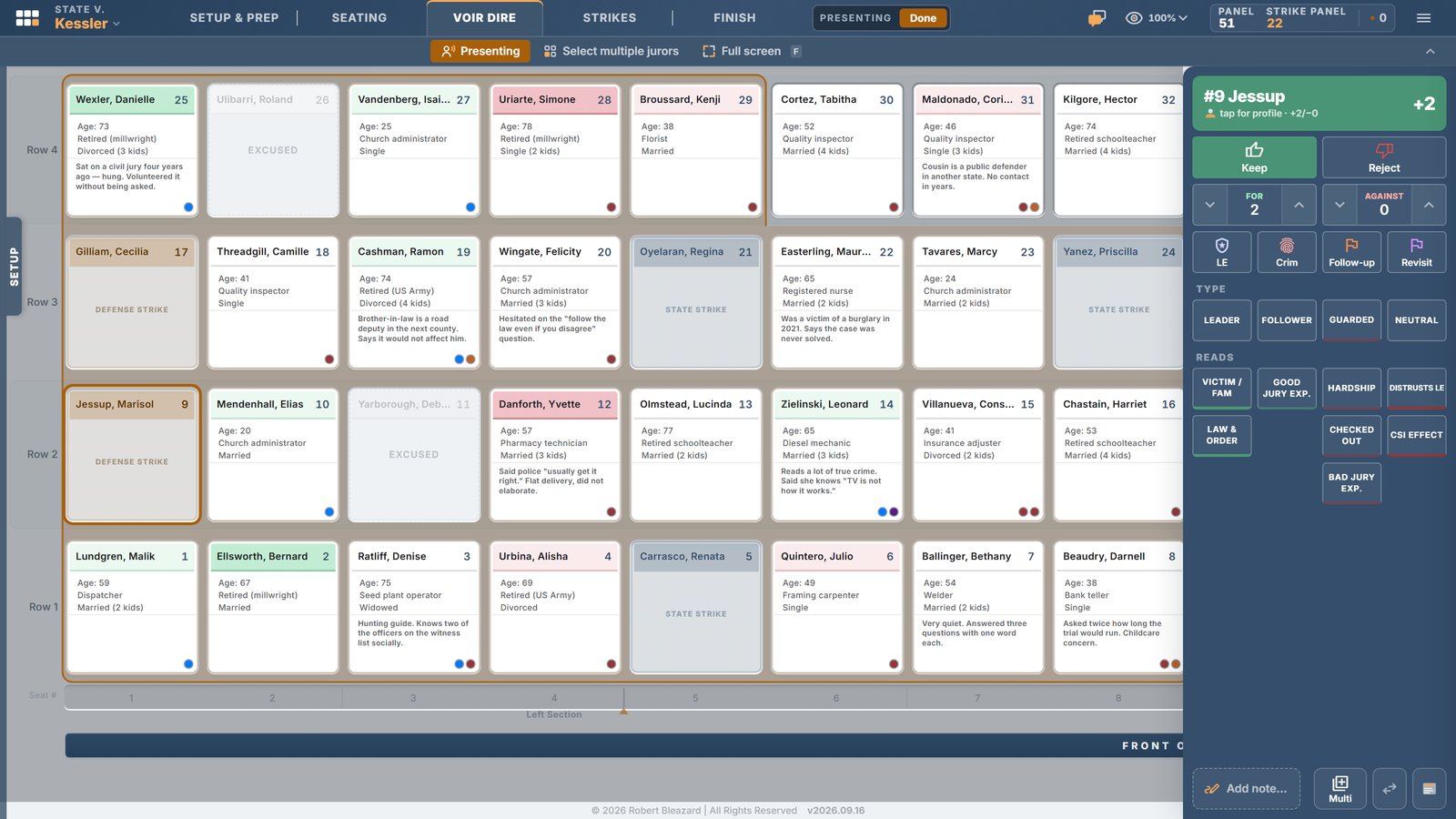
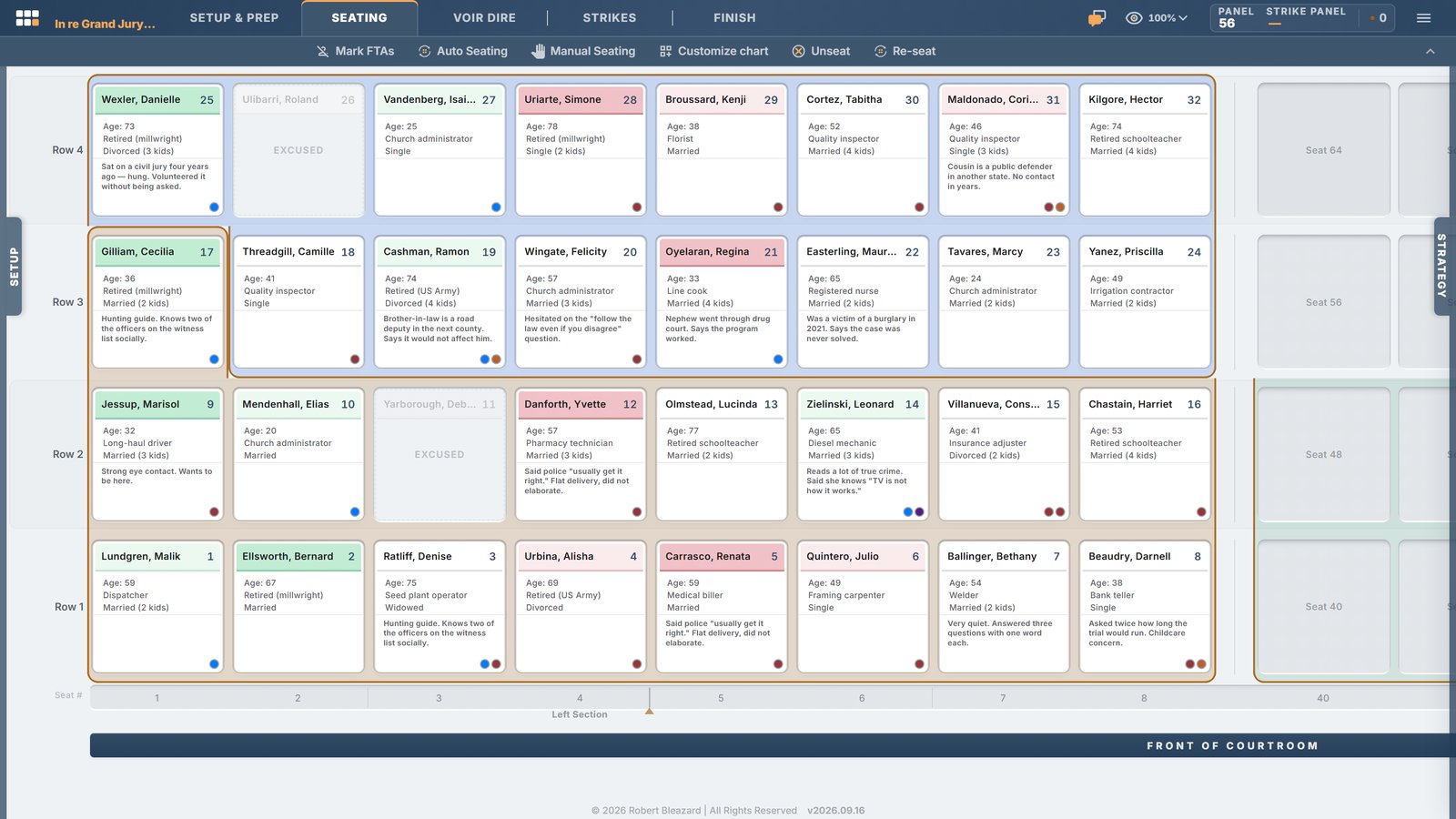
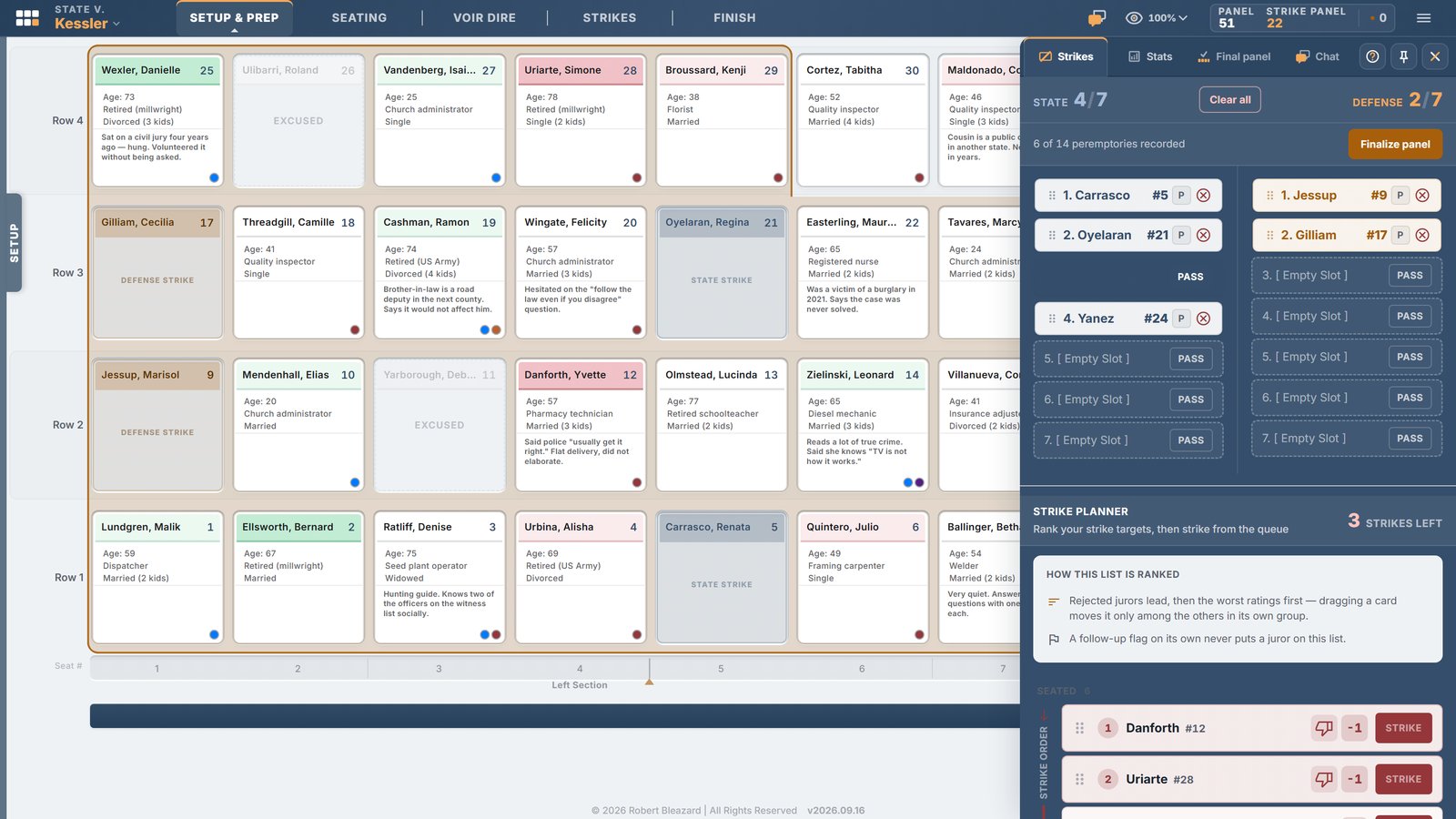
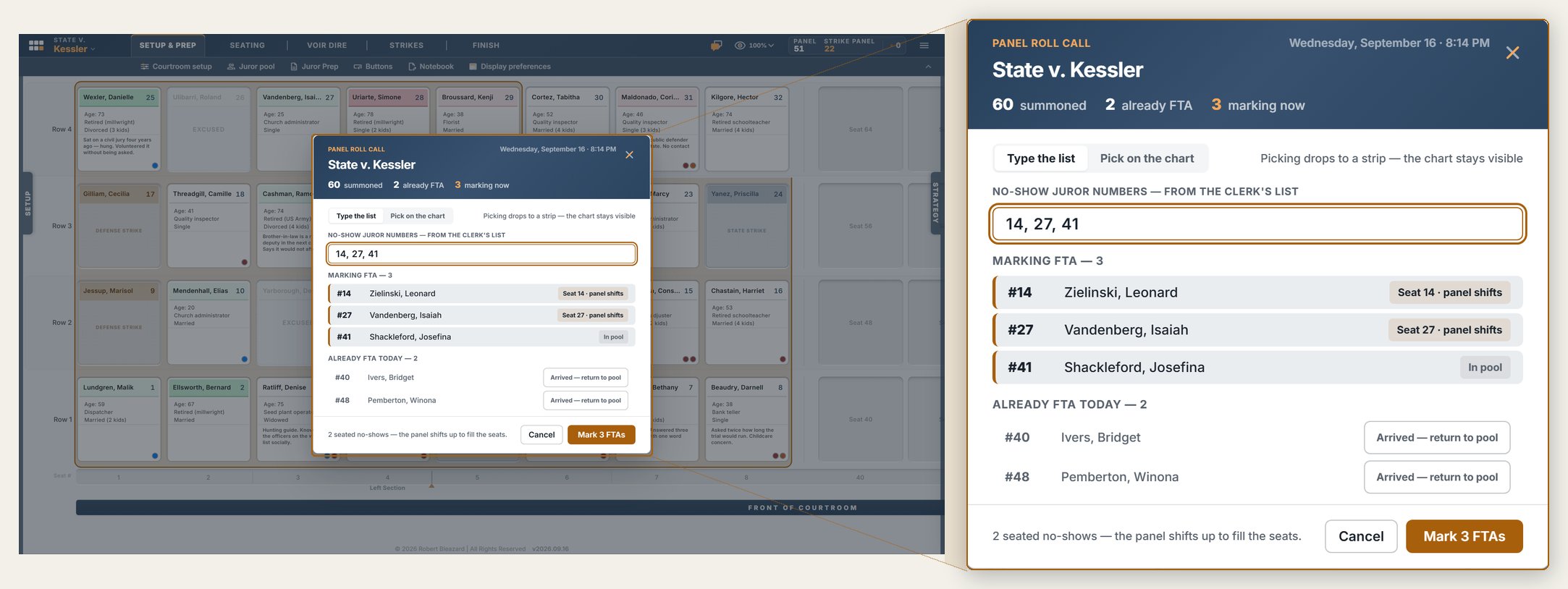
Track peremptory strikes, cause challenges, hardship excuses, and failures to appear — live.
State and defense counts tallied separately, always visible, never mental math.
Pass rounds tracked in struck-jury systems — whose turn, who passed, how many remain.
The seated jury and alternates fill in as you strike.
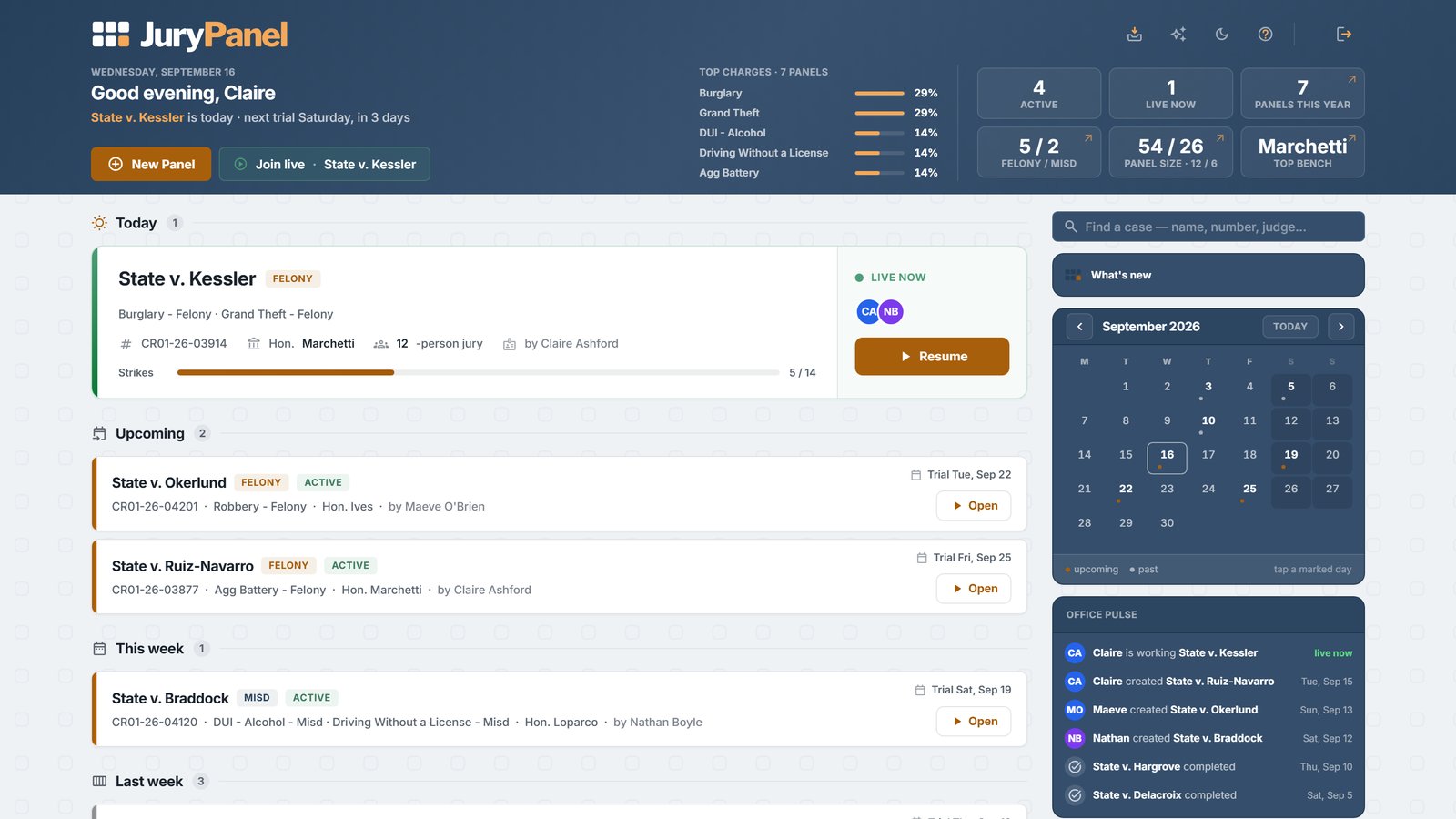
Co-counsel, paralegals, and analysts work the same panel at the same moment.
Every note, flag, and strike appears on every screen as it happens — laptop or iPad.
Built-in chat for the strategy talk, with no awkward whispers across the table.
Works through the unreliable connections courtrooms are famous for.
A case-level strategy notebook for your voir dire game plan — themes, questioning angles, the panel you're aiming for.
Searchable. Exportable. Yours.
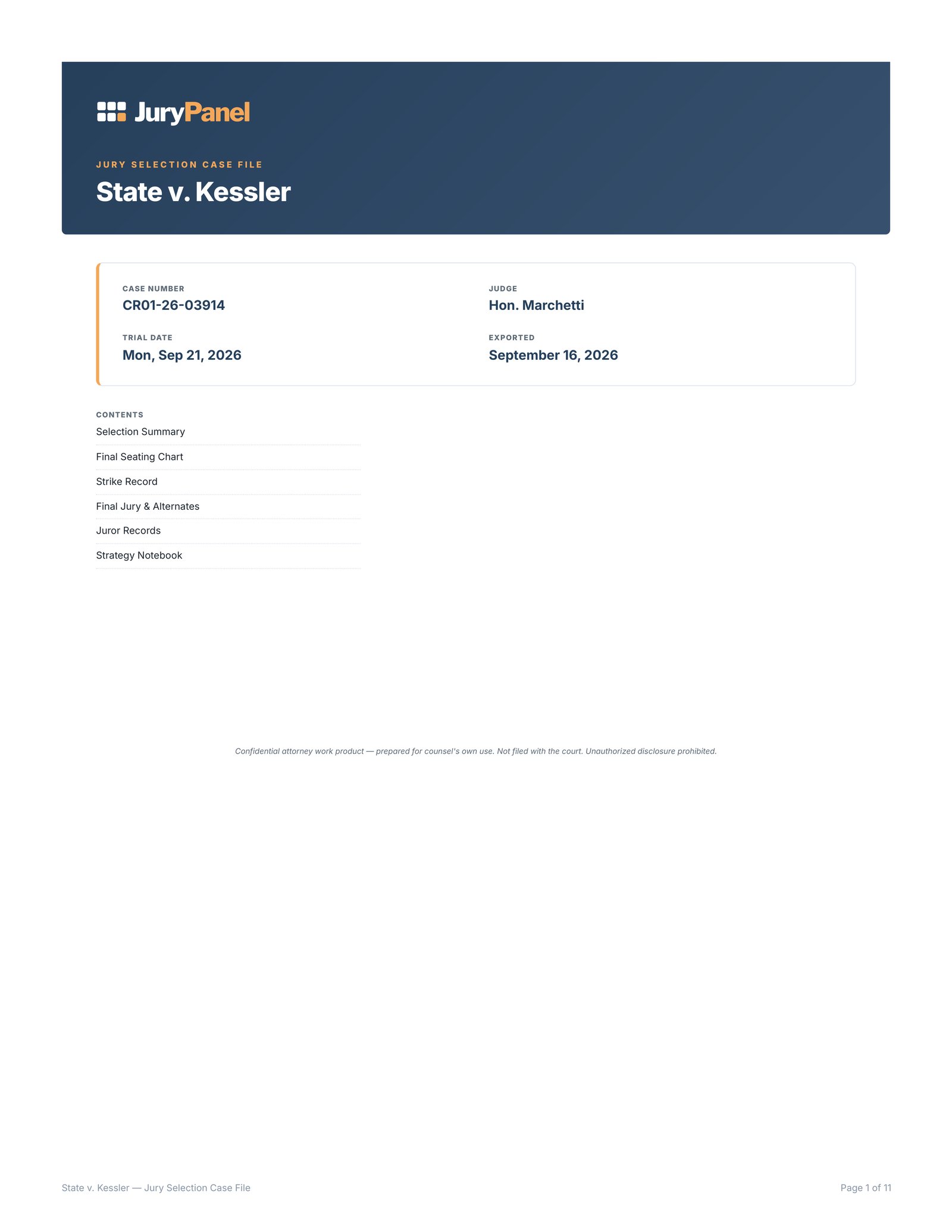
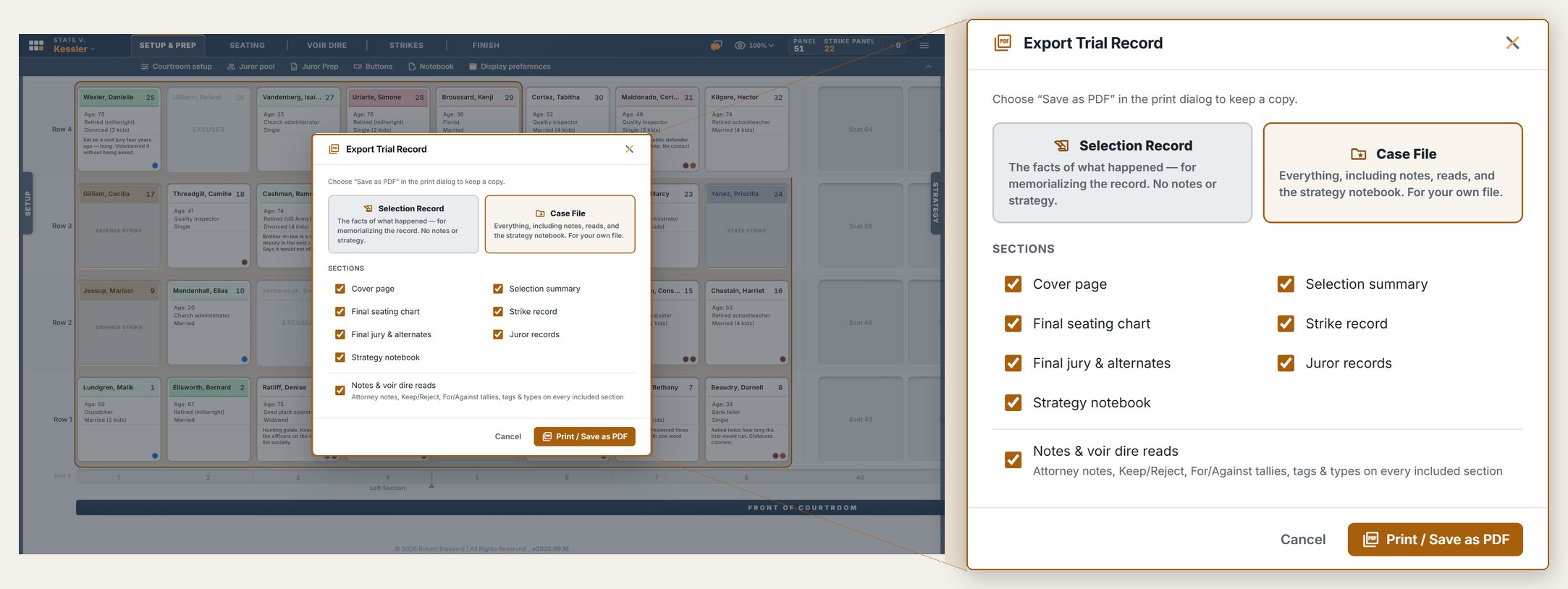
Export the full panel as a polished PDF — seat layout, strike summary, notes, alternates.
Ready for the trial file and the appeal, whenever it comes.
Choose what the export includes; team chat stays out of it.
Export the pool to CSV when you need the data, not the document.
Deploys office-wide — every attorney and the whole support staff, licensed.
Customized to your jurisdiction: your courtrooms, your strike rules, your fields.
Runs in the browser on the laptops and iPads your office already has. No App Store, no install, no IT lift.
Role-based access, office-wide presets, and admin controls so the office runs it its own way.
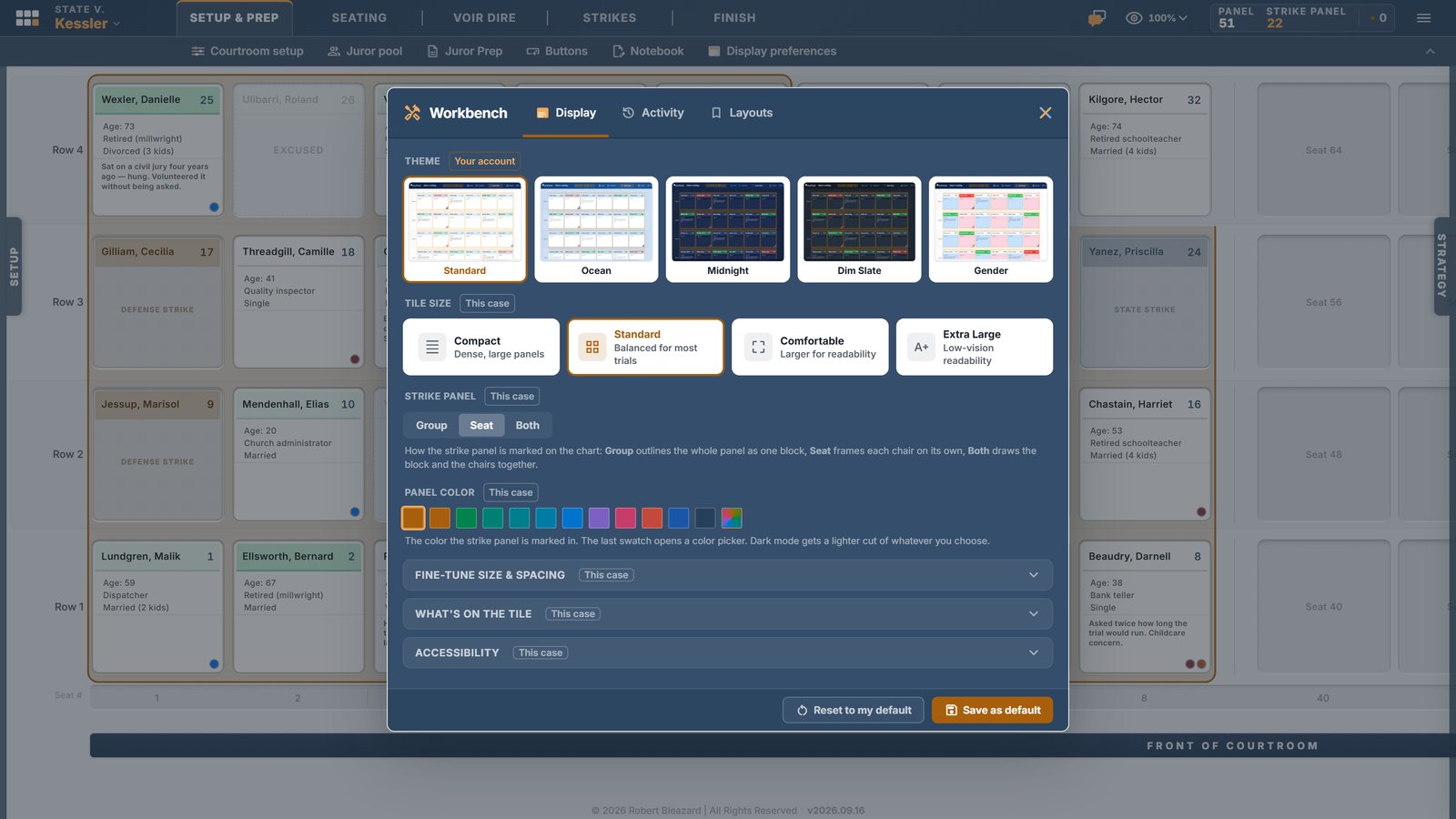
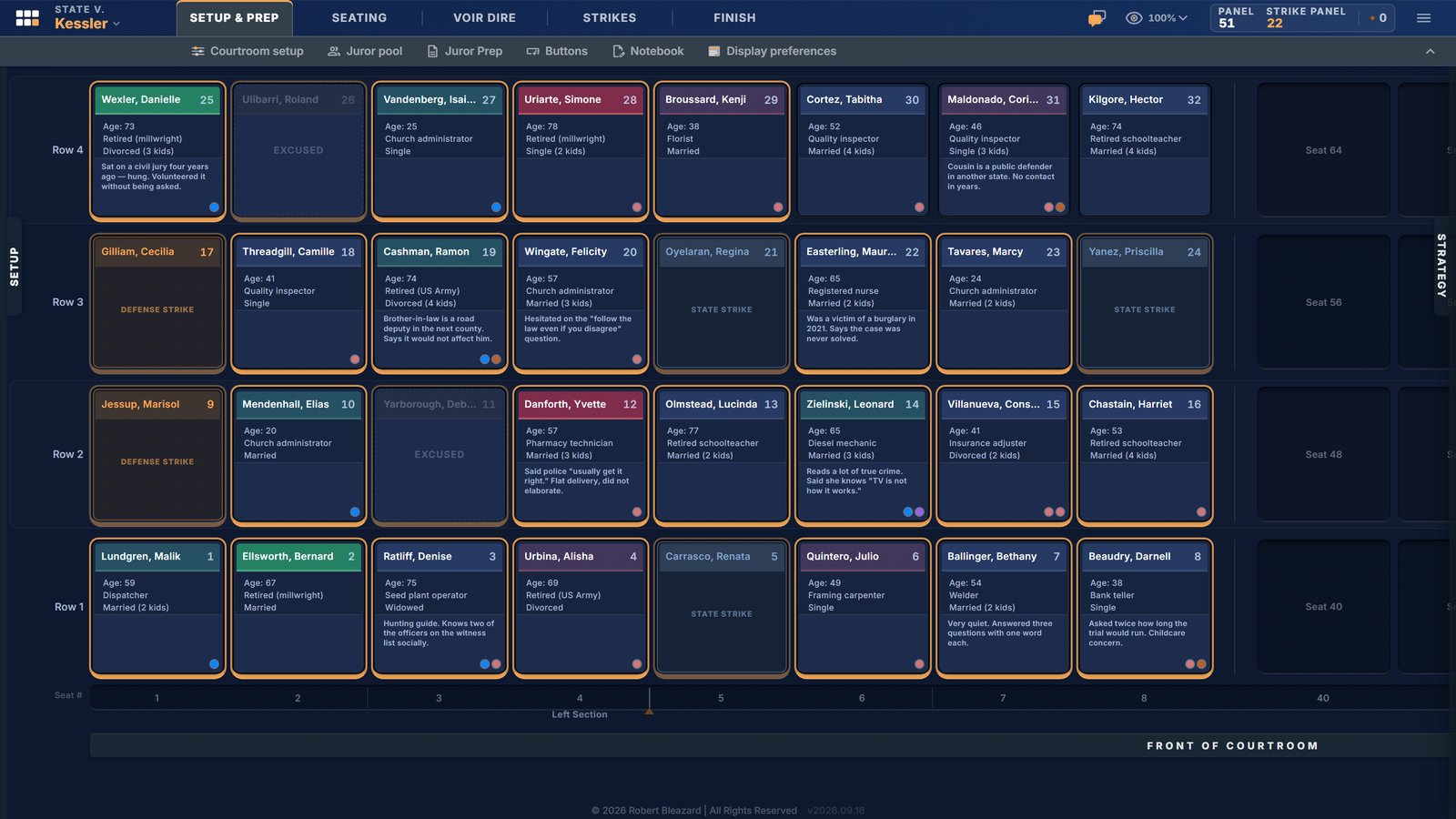
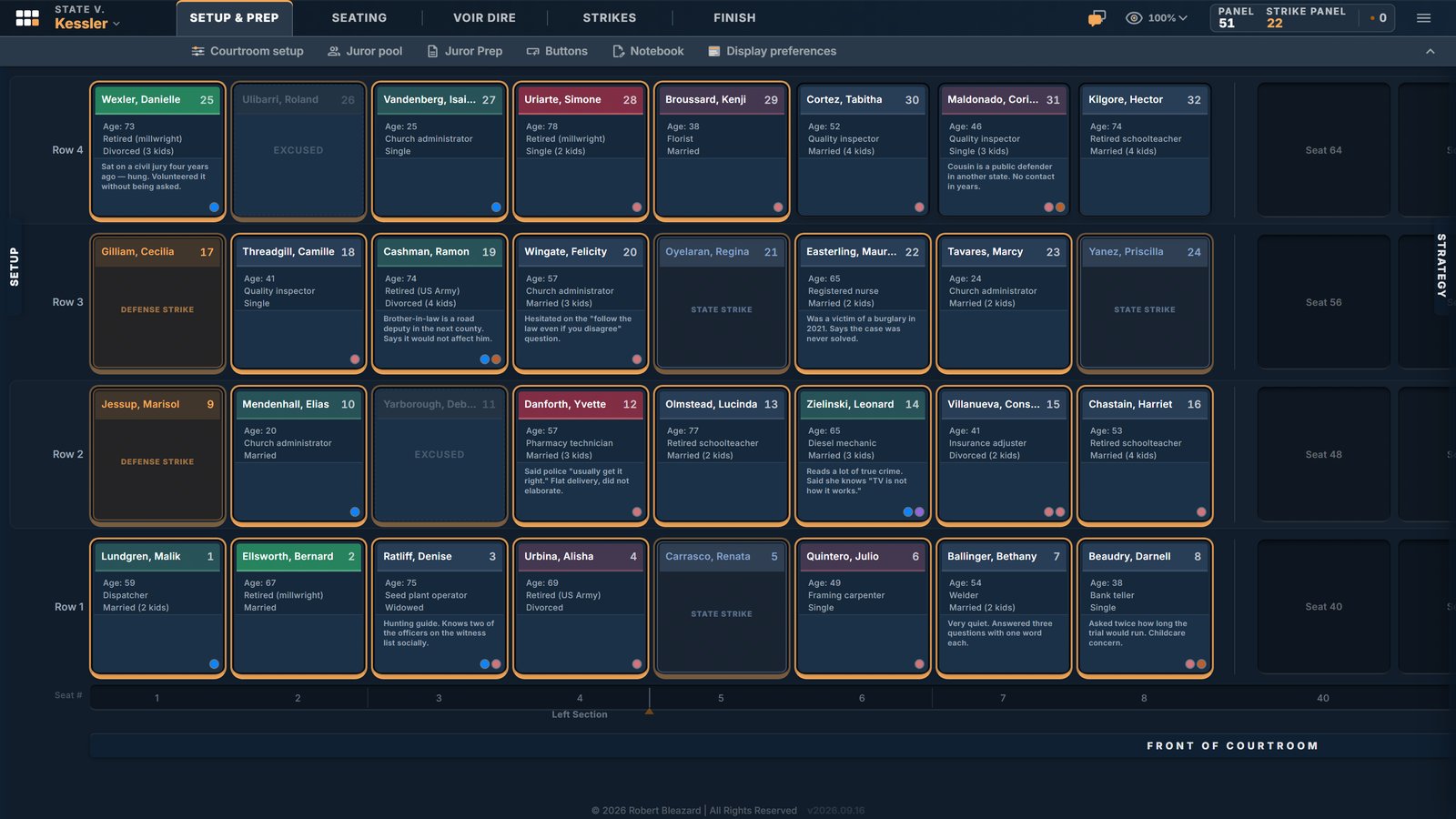
Display built for the courtroom: light and dark, adjustable tiles, and a colorblind-friendly mode.
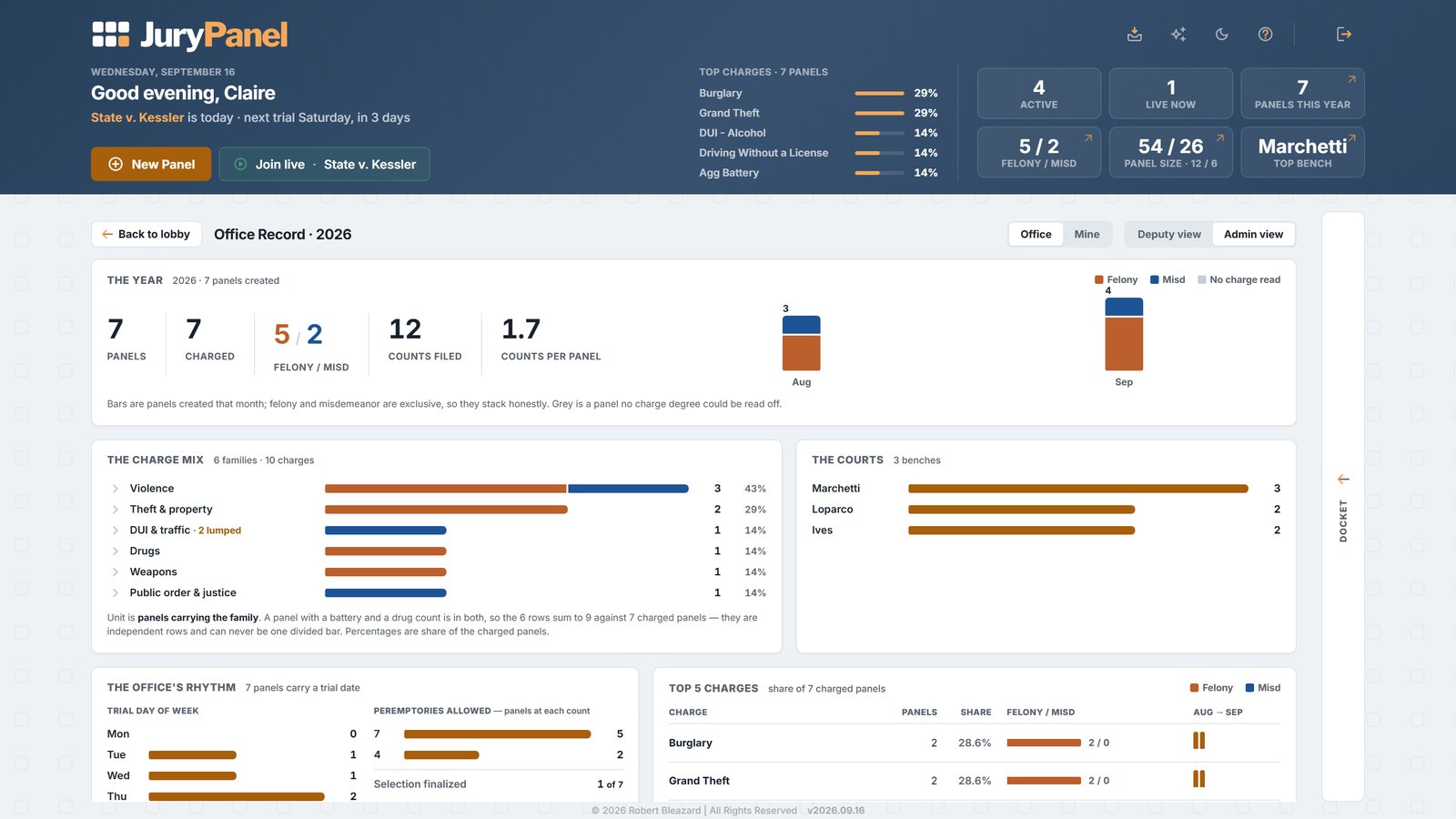
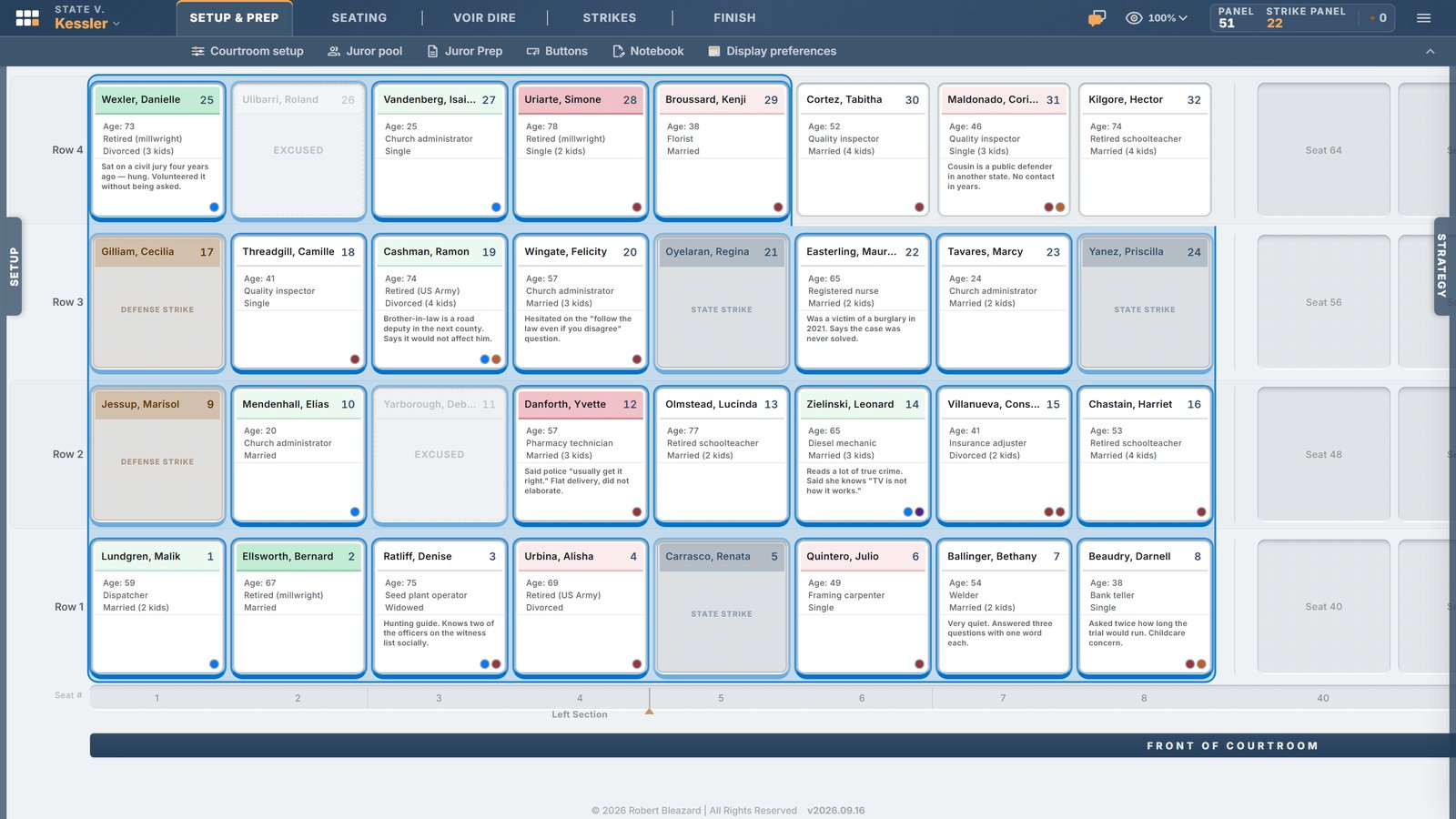
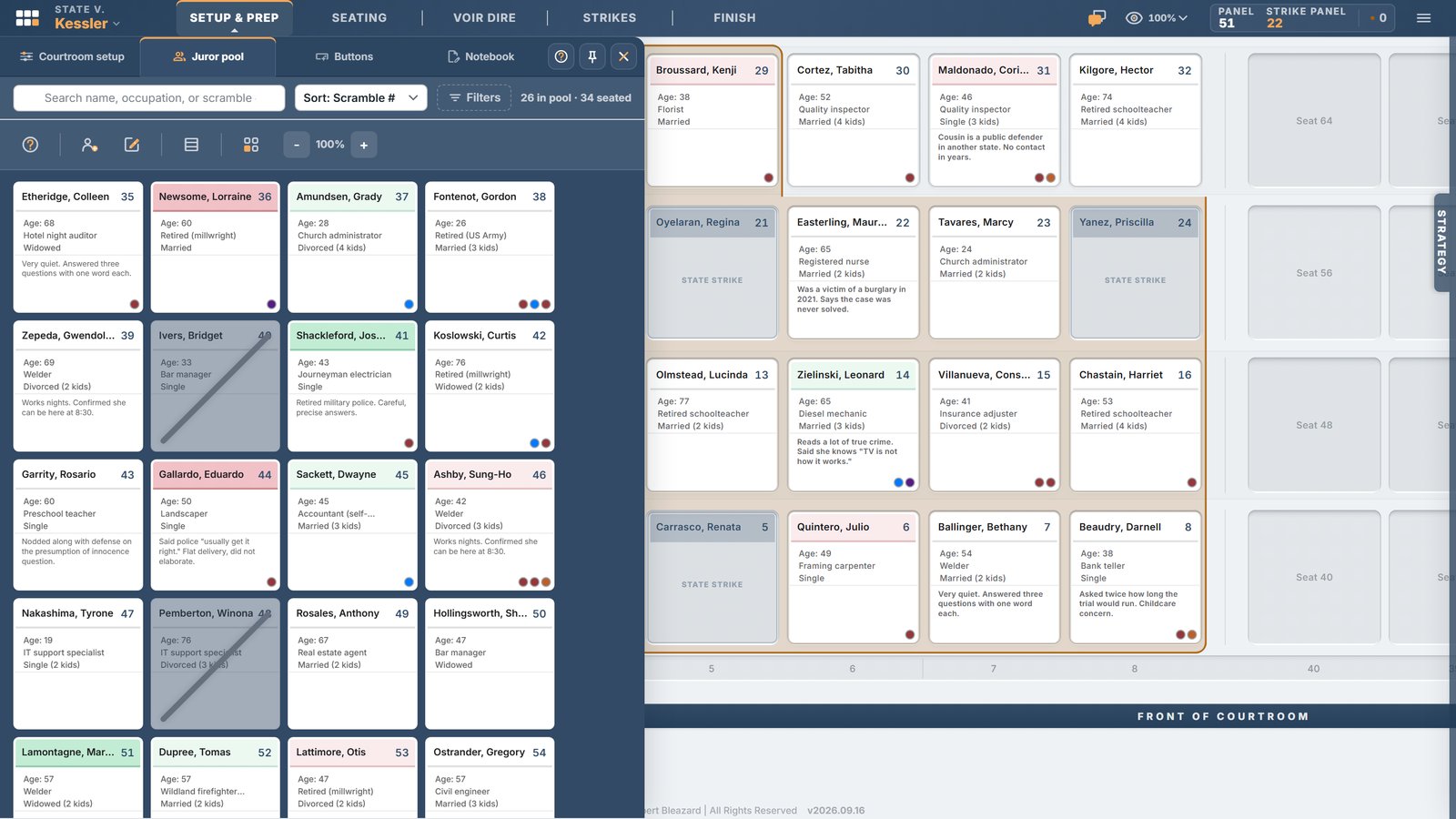
A look at how it works, straight from the prosecutor who built it.
Request a demo